
Affiliate Disclosure: This post contains affiliate links. If you click and make a purchase, SoftAIHub.com may earn a small commission at no extra cost to you. We only recommend software we have tested. Read our full Affiliate Disclosure here.
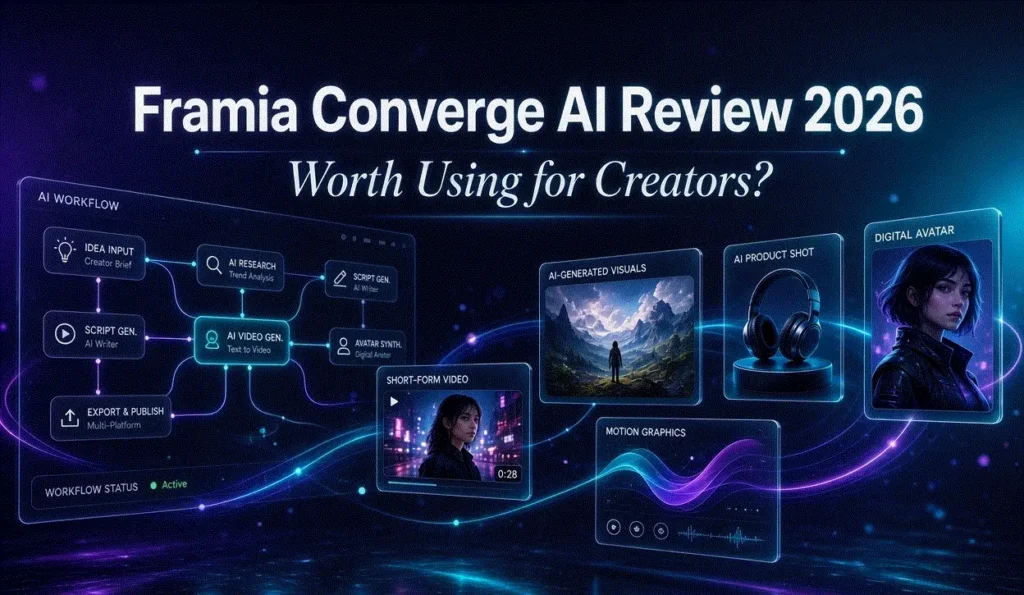
Framia Converge AI review searches are growing as marketers, content creators, and agencies look for a better way to manage AI-powered workflows. Instead of switching between ChatGPT, image generators, video tools, and automation platforms, Framia brings everything together in one visual workspace.
Created by Converge AI, Framia introduces a unique Agent Node Flow Canvas that allows users to connect AI agents and automate content creation from idea generation to final delivery. Whether you’re creating blog posts, social media content, videos, or complete marketing campaigns, Framia aims to simplify the entire process.
But is it actually worth using in 2026?
In this review, we’ll explore Framia’s features, use cases, strengths, limitations, and who can benefit most from this visual AI platform.
Quick Verdict
| Feature | Rating |
|---|---|
| Ease of Use | 4/5 |
| AI Content Creation | 4.5/5 |
| Workflow Automation | 5/5 |
| Collaboration | 4.5/5 |
| Learning Curve | Moderate |
| Overall Rating | ⭐ 4.5/5 |
Best For
- Marketing agencies
- Content creators
- YouTubers
- Startup teams
- Social media marketers
What Is Framia by Converge AI?
Framia is a visual AI workspace developed by Converge AI.
Unlike traditional AI chatbots that rely on a single conversation interface, Framia uses a visual canvas where users can build workflows using connected AI agents.
Think of it as a combination of:
- AI writing tools
- AI image generators
- AI video creators
- Workflow automation software
all working together inside a single environment.
The platform is designed to help creators and teams organize complex projects without constantly moving between multiple AI applications.
Framia Converge AI Review: Key Features
1. Agent Node Flow Canvas
The Agent Node Flow Canvas is Framia’s most distinctive feature.
Users can visually connect AI agents together to create custom workflows.
For example:
Idea Generation → Script Writing → Image Creation → Video Production
This visual approach makes complicated AI processes much easier to manage.
Why It Matters
Instead of manually copying content between tools, users can automate multi-step creative processes.
2. Shared Project Context
Many AI tools lose context when conversations become large.
Framia addresses this problem through shared project memory.
Benefits include:
- Consistent brand voice
- Better content quality
- Reduced prompt repetition
- Easier collaboration
This is particularly useful for agencies managing multiple client projects.
3. AI Image Generation
Framia allows users to generate images directly within the platform.
Potential use cases include:
- Social media graphics
- Blog illustrations
- Product visuals
- Advertising creatives
Since all assets are generated within the same workspace, project consistency is easier to maintain.
4. AI Video Creation
Video content remains one of the most effective marketing formats.
Framia helps users move from idea to video through connected workflows.
This can significantly reduce production time for:
- YouTube content
- Marketing videos
- Product explainers
- Social media clips
5. Team Collaboration
Teams can collaborate within shared workspaces.
Marketing departments, agencies, and startup teams can work together while maintaining access to project history and AI-generated assets.
6. Workflow Automation
Framia goes beyond content generation.
Users can build repeatable workflows that automate research, writing, visual creation, and campaign production.
For businesses creating large amounts of content, this can save significant time.
How Framia Works
Getting started with Framia is relatively straightforward.
Step 1
Create a workspace.
Step 2
Add AI agent nodes.
Step 3
Connect the nodes into a workflow.
Step 4
Define prompts and objectives.
Step 5
Generate content, images, and videos.
Step 6
Refine outputs and collaborate with team members.
Pros and Cons
Pros
✅ Unique visual workflow interface
✅ Excellent for complex projects
✅ Supports content, image, and video generation
✅ Shared context improves consistency
✅ Reduces tool switching
✅ Strong collaboration capabilities
Cons
❌ Learning curve for beginners
❌ May feel excessive for simple tasks
❌ Requires stable internet connectivity
❌ Some users may prefer a traditional chat interface
Framia vs Traditional AI Tools
| Feature | Framia | ChatGPT | Midjourney |
|---|---|---|---|
| Visual Workflow Canvas | Yes | No | No |
| Team Collaboration | Yes | Limited | No |
| Image Generation | Yes | Limited | Yes |
| Video Generation | Yes | Limited | No |
| Workflow Automation | Yes | No | No |
Choose Framia If
- You manage multiple content workflows.
- You work with a team.
- You create content at scale.
- You need automation beyond simple prompting.
Choose Traditional AI Tools If
- You only need text generation.
- You prefer a simple chat interface.
- You don’t require workflow automation.
Who Should Use Framia?
Content Creators
Create scripts, visuals, and videos from a single platform.
Digital Marketers
Build complete marketing campaigns using connected AI workflows.
Agencies
Maintain brand consistency across multiple clients.
SaaS Startups
Scale content production without significantly increasing team size.
YouTubers
Generate ideas, scripts, thumbnails, and video assets faster.
FAQ
Is Framia better than ChatGPT?
Framia focuses on workflow automation and visual content production, while ChatGPT primarily focuses on conversational AI.
Does Framia support video generation?
Yes. Framia includes AI-powered video creation capabilities within its workflow system.
Is Framia suitable for agencies?
Yes. Shared context and collaboration features make it particularly useful for agencies.
Can Framia replace multiple AI tools?
For many users, it can reduce the need to switch between separate writing, image, and video generation tools.
Is Framia beginner-friendly?
Yes, but users may need time to learn the visual workflow approach.
Final Verdict
This Framia Converge AI review shows that the platform offers something different from traditional AI tools. Its Agent Node Flow Canvas, workflow automation features, and collaborative workspace make it a strong option for creators, marketers, and agencies managing complex content projects.
While beginners may face a small learning curve, the ability to connect multiple AI processes into a single workflow can significantly improve productivity.
If you’re looking for a visual AI platform that combines content creation, image generation, video production, and workflow automation in one place, Framia is definitely worth exploring in 2026.
More from SoftAIHub:
🚀 Development: Best No-Code Development Tools for 2026
🎨 Creativity: Top 10 AI Tools for Content Creation
🎓 Productivity: Best AI Tools for Students in 2026
🛠️ Optimization: CCleaner Download Guide 2026: The Secret Weapon for Speed